WhatsApp Coexistence: Business App and API on One Number
Contents
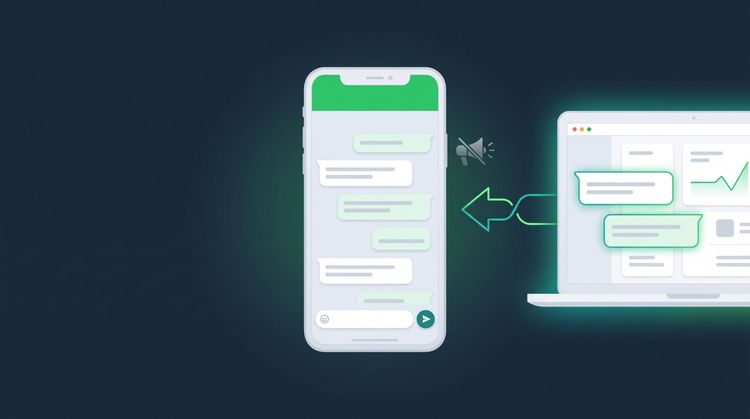
With WhatsApp coexistence, the number you already use in the WhatsApp Business app can connect to the API while you keep the same number. The phone app keeps working, chats sync both ways, and your API provider's system reads and replies to the same chats. The trade-off: broadcast lists stop, some chat features are switched off, and the main phone must stay active. Here are the details, and how to decide whether your shop needs coexistence or a full move.
Why Are So Many Shops Afraid to Move to the WhatsApp API?
The fear is almost always the same: "We've used this number for years, and our customers have it saved. Do we really have to change it?"
That fear used to make sense. A number you wanted on the WhatsApp Business API had to be removed from the app first. Once it moved, your admin (the person who answers the shop's chats) couldn't reply from the phone anymore, and the old chat history didn't come along.
Now there are two paths:
- Move fully to the API. The number stays the same, but chats are answered in the provider's dashboard, not in the app on your phone.
- Coexistence. The same number runs in the WhatsApp Business app and on the API at the same time.
Neither one makes you change your number. The difference is who handles the chats and which features you lose. If you're not sure yet how the app and the API differ, start with the WhatsApp Business API guide for small businesses.
What Happens When Your Number Uses Coexistence?
Every point below comes from Meta's coexistence documentation (updated by Meta on June 26, 2026, accessed October 6, 2026). Meta calls this feature "onboarding WhatsApp Business app users", but among providers it's better known as coexistence.
| Feature in the WhatsApp Business app | After coexistence |
|---|---|
| 1:1 chats | Keep working, synced with the API |
| Chat history | Up to the last 180 days can be synced, if you allow it |
| Contacts | Synced |
| Catalog, labels, quick replies, greeting message | Stay in the app, but don't carry over to the API |
| Calls and video calls | Keep working in the app |
| Groups | Keep working in the app, but aren't synced |
| Broadcast lists | Switched off. Old lists become read-only, and you can't create new ones |
| Disappearing messages, view once, live location | Switched off for 1:1 chats |
| Linked devices (WhatsApp Web, etc.) | Disconnected once, then can be linked again. WhatsApp for Windows isn't supported |
Three things in this table surprise shop owners most often:
- Broadcast lists are gone. If you've been sending promos through broadcast lists in the app, get a replacement ready first.
- Chat history only goes back 180 days. Older chats don't come into the system through the API.
- Linked devices are disconnected. An admin who usually replies from WhatsApp Web on a laptop has to link it again once the process is done.
Requirements and Small Traps Few People Mention
Besides the table above, Meta's documentation lists a few technical requirements that affect a shop's daily operations:
- App version 2.24.17 or later. Update the WhatsApp Business app on the main phone before you start.
- The main phone can't stay off for long. Meta notes the system can cut the connection if the main device is inactive for about 14 days. If the shop phone is rarely opened (for example, it was only used at the start), this is a real risk.
- The first message from a new customer sometimes reaches the API late. Meta says this is normal, especially from click-to-WhatsApp ads, and it usually clears up within a few seconds. If a message doesn't show up in the system, check the app on the phone.
- You disconnect from the app. To stop, the number's owner cuts the connection in Settings > Account > Business Platform (Pengaturan > Akun > Business Platform) in the WhatsApp Business app.
One more thing about cost. According to the same page, messages you send from the app stay free, while messages sent through the API follow Meta's API rates. The 24-hour window also applies only to messages sent through the API. The WhatsApp Business API cost calculator lets you run the numbers on Meta's rates.
Coexistence or a Full Move: Which Fits Your Shop?
Coexistence isn't automatically better. It fits certain situations.
| Your shop's situation | Better fit |
|---|---|
| The owner still wants to answer some chats straight from the phone | Coexistence |
| Customers often call the shop's number | Coexistence (calls stay in the app) |
| Regular promos through the app's broadcast lists | Full move, or set up a broadcast replacement first |
| Several admins take turns handling chats | Full move, with chats managed in one dashboard |
| The shop phone is rarely opened | Full move |
| You want an AI admin from a specific provider | Ask that provider, because not every provider uses coexistence |
A more important question than "coexistence or not" is this: who answers chats at 10 p.m.? If the answer is still "we wait for the admin to wake up", the problem isn't how you connect the number. The problem is WhatsApp chats that wait too long for a reply.
If more than one person handles your chats, watch out for one thing. Many "double reply" problems show up exactly when the phone app and another system are both active, with no rule about who handles what.
What to Do Next: Move to Admin Canggih Without Changing Your Number
With Admin Canggih, our AI sales agent, your shop's WhatsApp number can stay the same, so customers don't need to save a new one. Once it's connected, chats on that number are answered by the AI and your admins in the dashboard, not in the WhatsApp Business app on the phone. The keep your WhatsApp number help page has the details.
Here's the order we recommend before you connect the number:
- List what you rely on in the app today. Broadcast lists, labels, quick replies, catalog. Decide which ones need a replacement.
- Tidy up your catalog and shop rules. Prices, variants, shipping costs, opening hours, and when a chat should go to a person.
- Set the AI's limits. Complaints and haggling outside your rules are best handed straight to a person with human handoff.
- Connect the number. Self-setup is free. If you want the Canggih team to handle it end to end, Express Integration is optional and costs Rp 1,000,000.
Admin Canggih goes live in under 24 hours after we receive your catalog and shop rules. Meta's message fees still follow Meta's policy and are paid separately from your plan. If you're still unsure about your number, ask our team before you connect it.
FAQ
What is WhatsApp coexistence?
It's a Meta feature that lets one number work in the WhatsApp Business app and on the WhatsApp Business API at the same time. One-to-one chats sync on both sides, so a message answered from the phone is also recorded in the system connected to the API.
Does my old chat history move over?
Partly. According to Meta's documentation, 1:1 chat history from up to the last 180 days can be synced, and only if the number's owner allows it. Group chats don't come along.
Can I still use broadcast lists after coexistence?
No. Broadcast lists in the app are switched off, old lists become read-only, and you can't create new ones. If your promos depend on broadcast lists, set up a replacement before you connect the number.
Do messages from the WhatsApp Business app start costing money?
According to Meta's documentation, messages sent from the app stay free. Meta's rates apply only to messages sent through the API.
If I use Admin Canggih, do I have to change my number?
No. Your shop's WhatsApp number can stay the same. Once it's connected, chats are answered by the AI and your admins in the Admin Canggih dashboard.
What happens if the main phone is off for a long time?
Meta's documentation notes the system can cut the coexistence connection if the main device is inactive for about 14 days. If the shop phone is rarely opened, consider a full move to the API.
This article was written by the Canggih.AI team. Worried you'll have to change your number to use an AI admin? Chat with us on WhatsApp or follow @canggihai_official.