WhatsApp Business API Guide for Businesses in Indonesia

Contents
- WhatsApp Business App vs WhatsApp Business API: What's the Difference
- How the WhatsApp Business API Works, Without the Jargon
- Costs: Three Items to Ask About Separately
- How to Sign Up for the WhatsApp Business API
- Seven Questions to Ask Before You Choose a Provider
- Mistakes That Often Get a Number in Trouble
- What to Do Next: Admin Canggih on the WhatsApp Business API
- FAQ
This WhatsApp Business API guide is for businesses in Indonesia whose chats have outgrown the regular WhatsApp Business app. The API is the official route through Meta's infrastructure (WhatsApp Business Platform documentation): many admins on one number, automated replies, and connections to payments or orders. You usually get it through a provider (BSP), not from an app store. This guide covers the differences, the costs, the sign-up steps and how to choose a provider.
WhatsApp Business App vs WhatsApp Business API: What's the Difference
| Compared | WhatsApp Business App | WhatsApp Business API |
|---|---|---|
| How you use it | Downloaded and used straight on your phone | Through the provider's (BSP's) dashboard |
| Cost | Free | Provider subscription, plus Meta's bill based on messages |
| Multiple admins | Limited (check the latest device limit in the WhatsApp Help Center) | Multiple admins through the dashboard |
| Automated replies | Greeting and away messages | Conversation flows, including AI |
| Broadcast | Limited broadcast lists (check the latest limit in the WhatsApp Help Center) | Bulk sending through message templates |
| System connections | Limited, usually no automatic payment or order connection | Payments, orders, CRM, catalog |
| Best for | Chats one or two people can still handle | Chats piling up, a team of admins, or you want to automate |
The rule of thumb: as long as you can still answer every chat without missing any, the regular app is enough. Once chats start getting late replies or your admins (the people who answer your shop's chats) start stepping on each other, the API is worth considering. A short explanation of the difference is on the help page on the WhatsApp Business API vs the app.
How the WhatsApp Business API Works, Without the Jargon
- You sign up through a provider (BSP). Most small and growing businesses sign up through a provider, not directly with Meta. The provider supplies the dashboard and the infrastructure, so you do not need a programmer.
- Your business number is connected to the dashboard. Every admin, or the AI, replies from the same number. To your customers, it is still one number.
- Features are switched on. Automated replies, message templates, broadcasts and connections to other systems are all set up from that dashboard.
- Meta charges based on the messages sent. The rates differ by message category and can change, and this bill is separate from the provider's subscription. Check the official WhatsApp Business Platform pricing page before you do the math.
One Meta rule can stop your follow-ups from being delivered: the 24-hour window. The official source is in the Meta documentation linked above. Read it before you design follow-up messages.
Costs: Three Items to Ask About Separately
Do not compare providers on the subscription price alone. There are three cost items, and each one can differ:
| Item | Paid to | What to ask |
|---|---|---|
| Subscription | The provider | What is the unit: per admin, per conversation, per AI reply? |
| Per-message bill | Meta | Paid straight to Meta or through the provider, with a markup or not? |
| Setup | The provider | Self-serve, or done for you by the provider's team? How much does it cost? |
You can estimate Meta's bill with the WhatsApp Business API cost calculator, and the breakdown of Meta's charges is in the help page on Meta's WhatsApp fees. The breakdown by message category is covered in WhatsApp Business API pricing 2026.
How to Sign Up for the WhatsApp Business API
- Prepare your business details. Your business name, the number you will use, and a Meta Business account. The documents required can differ by provider and by the outcome of Meta's verification, so ask for the list at the start.
- Decide what happens to your current number. Some providers ask you to remove the number from the app first; others let the number stay on both the app and the API. This is explained in WhatsApp coexistence.
- Choose a provider. Check its official partner status on Meta's site and on the provider's own site.
- Register and verify. How long it takes depends on how complete your details are and on Meta's review queue.
- Activate the number and set up the features. Message templates, automated replies and connections to your shop's systems.
Seven Questions to Ask Before You Choose a Provider
Copy these and send them to any provider you are considering:
1. What is the quota unit (admins, conversations, AI replies)? What happens if it runs out mid-month?
2. Is Meta's bill paid straight to Meta, or through you? Is there a markup?
3. Who does the setup, and how much does it cost?
4. Can I keep using my current WhatsApp number?
5. Payments: is the payment link created from the order? Is the paid status recorded automatically?
6. When the AI cannot answer, how is the chat passed to a human admin?
7. Is the contract monthly or yearly? Can I stop any time?
Mistakes That Often Get a Number in Trouble
- Broadcasting to every contact without filtering. If many recipients report your messages, your number's quality can drop and sending can be limited (see Meta's documentation).
- Stiff templates. Messages that read like a formal letter feel robotic in a shop chat.
- No route to a human admin. Customers who need a person end up going in circles through automated replies.
- The catalog and shop rules are not kept up to date. Prices or stock change, but the replies still use old information.
- Nobody watches the number's quality. Check your number's status regularly in Meta Business Suite.
If your number is already restricted, the next step is to find the cause and appeal to Meta.
What to Do Next: Admin Canggih on the WhatsApp Business API
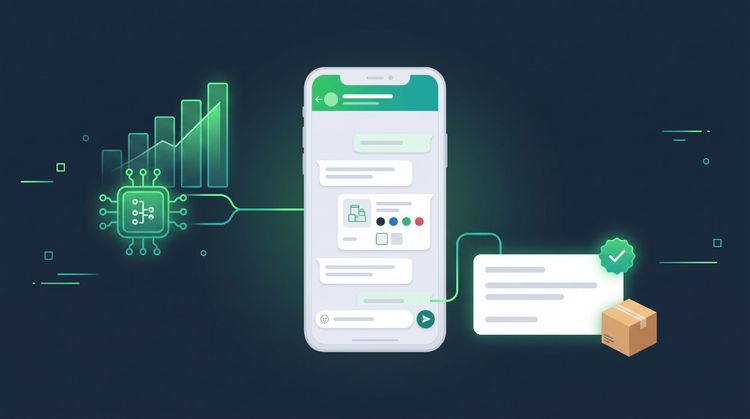
Admin Canggih puts an AI admin on top of the API: a customer's message comes in, and the AI answers from your catalog and shop rules, creates the order, calculates the shipping cost and sends the payment link. When a question is beyond what the AI can handle, the chat is passed to a human admin at your shop.
Three things people ask most about the API side. First, your shop's WhatsApp number can stay the same. Second, Meta's bill for WhatsApp replies is paid straight to Meta, with no markup from Canggih. Third, payments through a payment gateway (Midtrans or Xendit) are verified automatically, so customers do not need to send proof of transfer; the flow is on the automatic payment links in chat page. For setup and plans, see the pricing page. There is a free demo on WhatsApp if you want to see how it works first.
FAQ
Is the WhatsApp Business API free?
Usually not. There is a subscription to the provider and a bill from Meta based on messages. Keep the two apart when you compare offers.
What is the difference between the regular WhatsApp Business app and the WhatsApp Business API?
The regular app runs on your phone and suits small businesses. The API is accessed through a provider and supports many admins, more advanced automated replies and connections to other systems.
Can the WhatsApp Business API take payments?
Yes, through a connection to a payment gateway. The payment link is sent in the chat and the paid status is recorded automatically. In Admin Canggih, this flow runs through Midtrans or Xendit.
Can I use my current WhatsApp number for the API?
It depends on the provider. Some ask you to remove the number from the app; others support coexistence. With Admin Canggih, your shop's number can stay the same. See how to keep your WhatsApp number.
How long does it take to sign up for the WhatsApp Business API?
It varies, depending on the provider, how complete your details are and Meta's review queue. Ask the provider for an estimate before you start.
Which WhatsApp Business API provider in Indonesia suits a small business?
That depends on your needs: the pricing unit, who does the setup, and whether AI is already included. Use the seven questions above, then compare the answers.
This article was written by the Canggih.AI team. Still not sure whether your shop needs the API yet? Tell us your chat volume on WhatsApp and we will help you check, or follow @canggihai_official.