WhatsApp AI Order Taking: Shipping Costs and Payment Links
Contents
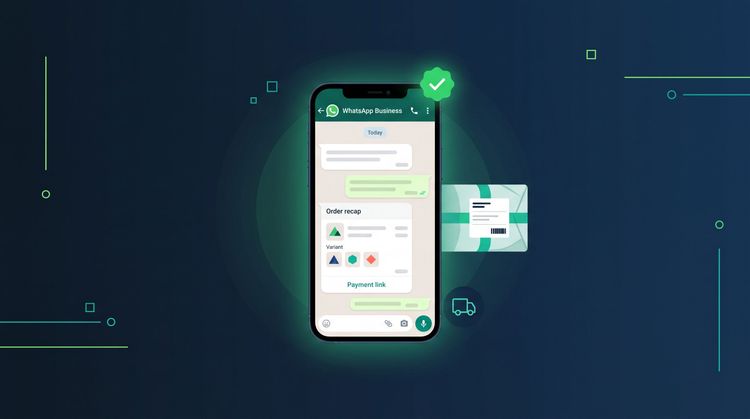
WhatsApp AI order taking means using an AI that does not stop at "it's Rp 150,000". It notes the variant and quantity, asks for the address, calculates shipping, sends the order total, then sends a payment link, all in the same chat. Admin Canggih runs this flow 24 hours a day. If your AI can only answer questions, orders still leak at three points. Here they are, and how to close them.
Where Do WhatsApp Orders Usually Leak?
Orders rarely get lost at the first question. They usually get lost halfway, right when the customer is ready to buy.
Leak 1: waiting for the shipping cost. A customer asks "how much is shipping to Makassar?". The admin (the person who answers your shop's chats) has to open a shipping cost app, enter the weight, pick a courier, then type the answer back. With 30 chats waiting in the queue, that reply arrives an hour later. By then the customer has moved on to another tab.
Leak 2: a wrong order recap. The variants get mixed up, the quantity is off, or someone forgets to add shipping to the total. The customer complains, trust drops, and a chat that should have ended in a sale turns into a complaint.
Leak 3: a promise to pay that nobody follows up on. "I'll transfer tonight, okay." Then nobody reminds them. This leak often goes unnoticed, because in the chat it looks like the customer already said yes.
None of the three is a product or pricing problem. The problem is the gap between "I want it" and "I paid".
The Full Order Flow Inside the Chat
This is the flow an AI has to run so the order gets done without an admin touching it:
- Capture the product and variant. "yg sage ukuran L 2 ya" (roughly "the sage one, size L, 2 please") has to be read as the right product, color, size and quantity.
- Ask for the shipping details. Name, phone number, full address. One message, not five rounds of back and forth.
- Calculate the shipping cost. From the customer's address and the order's weight, not a guess like "around Rp 20,000".
- Send the order total. Products, quantity, price, shipping, total. The customer confirms once.
- Send the payment link. The customer clicks, pays, done. No photo of a transfer receipt that someone has to check by hand.
- Hand over to a person when needed. Complaints, special negotiations or questions outside the shop's rules still go to the admin.
If your AI only gets as far as step 1, what you have is an FAQ machine. Still useful, but closing the sale still waits for the admin.
Why Is a Payment Link Safer Than a Manual Bank Transfer?
A manual transfer is double work for both sides. The customer has to copy the account number, open their mobile banking app, transfer the exact amount, take a screenshot and send it back. The admin has to open the account statement, match the amount and only then confirm.
A payment link cuts all of that:
- The amount is fixed. No typos, no transfer that is Rp 1,000 short.
- The customer can choose how to pay on the payment page, instead of being forced to use one bank.
- The payment status is visible, so there are no more "I've sent the transfer, okay" messages to check one by one.
For shops that run ads pointing to WhatsApp, this matters a lot. Every ad click has already been paid for. If a customer from that ad gets stuck at the transfer step, the ad spend is wasted.
Shipping Cost: The Riskiest Point for Shops With a Complicated Catalog
Shipping looks simple until your catalog has heavy products, variants with different weights, or deliveries to other islands.
A common example: a customer orders 3 items, and the admin calculates shipping using the weight of 1 item. The difference shows up when the parcel is about to ship. There are two options: the shop covers the gap, or it bills the customer again after they have already paid. Neither feels good.
That is why an AI that calculates shipping has to use the real weight of the order, not a rough number. If the data is not in the catalog yet, it is better for the AI to ask or hand the chat to the admin than to guess.
What a Person Should Still Handle
A good AI is not one that does everything. A good AI knows when to stop.
Hand the chat to the admin when:
- the customer complains about an order that has already shipped
- the customer asks for a special price outside the wholesale rules
- the question has no answer in the catalog and the shop rules
Let the AI handle the rest: the repetitive, time-consuming work. Your admin can then focus on the chats that really need a person. Our guide on how to build a knowledge base for AI customer service covers how to write shop rules so the AI knows its limits.
What to Do Next: Start Without the Hassle
With Express Integration, you do not need to connect any systems yourself. You only need to provide two things: your product catalog (prices, variants, weights) and your shop rules (shipping hours, return policy, when to hand a chat to the admin).
Admin Canggih answers customer chats 24 hours a day, creates orders, calculates shipping and sends payment links right inside WhatsApp. On the Business and Growth plans it also covers Instagram DM, bundled with WhatsApp. Self-setup is free. Express Integration, where the Canggih team sets everything up for you, is optional and costs Rp 1,000,000. It goes live in under 24 hours after we receive your catalog and shop rules.
Want to see the flow in action first? There is a free demo on WhatsApp, so you can try placing an order yourself before you subscribe.
FAQ
Can a WhatsApp AI take orders and payments at the same time?
Yes, if the AI is connected to the shop's catalog and payment flow. Admin Canggih creates the order, calculates the shipping cost and sends the payment link inside the same WhatsApp chat.
Do customers still have to send proof of transfer?
Usually not needed. When they pay through a payment link, the amount is fixed and the payment status is visible, so the admin does not have to match transfer screenshots one by one.
What if a customer complains or wants to negotiate?
Ideally, chats like that go to a human admin. The AI handles the repetitive work, and people handle what needs a decision.
How long until the AI can run in my shop?
It goes live in under 24 hours after we receive your catalog and shop rules. You can do the setup yourself for free, or have the Canggih team handle it through Express Integration (Rp 1,000,000).
This article was written by the Canggih.AI team. Do your WhatsApp orders keep getting stuck at shipping or payment? Chat with us on WhatsApp or follow @canggihai_official.